
Host Listing Guide
Hello Host,
We are the SpaceCloud Service Team, here to assist you!
Is this your first time listing your space?
No worries—here’s a simple step-by-step guide!
After signing up as a guest, switch to a host account to get started.
Then simply click the [Start Listing] button to begin.
Before you begin, make sure you have:
• Business registration details
• Payout Account Information
• High-quality photos that showcase your space at its best
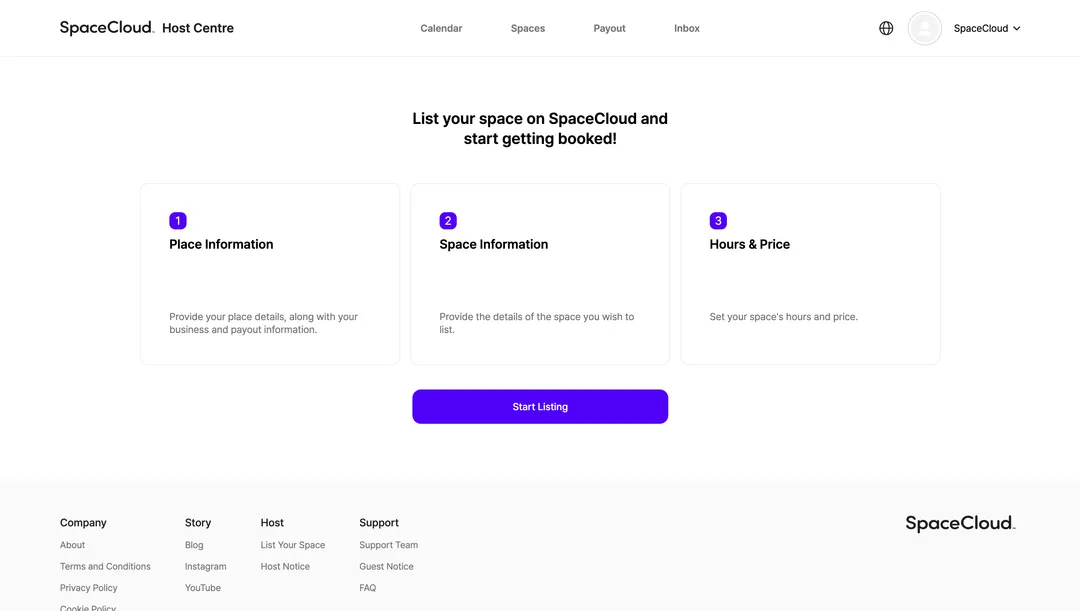
List Your Space in 3 Simple Steps!
STEP 1. Place Information
Provide your place details, along with your business and payout information.
STEP 2. Space Information
Provide the details of the space you wish to list.
STEP 3. Hours & Price
Set your space's hours and price.
STEP 1. Place Information
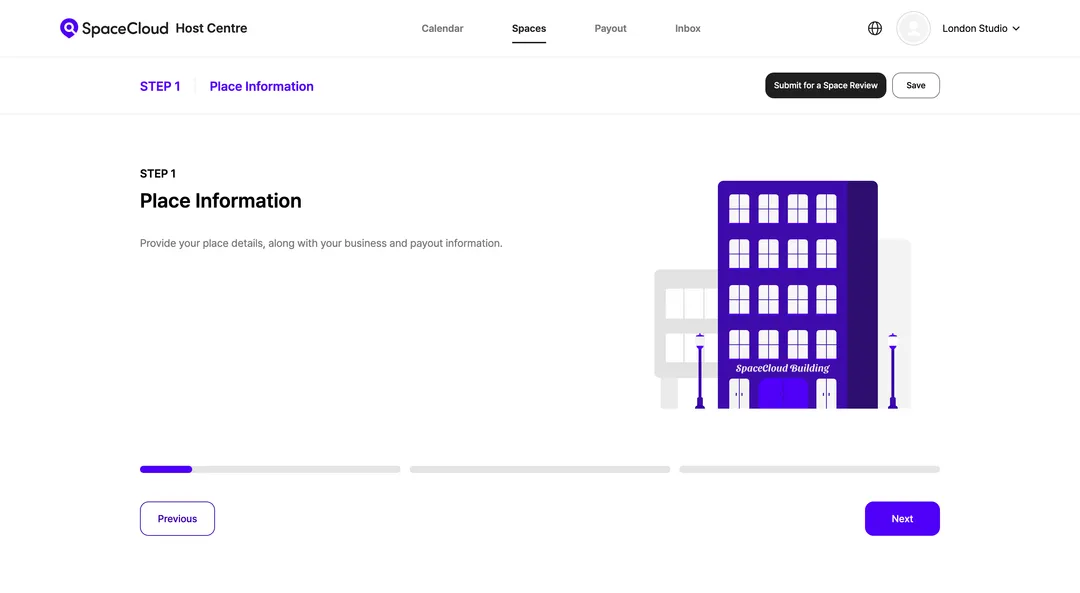
’Place' means the building that contains your space.
If you have a place called 'Move & Groove Studio' with two rooms, Studio Move and Studio Groove, then:
→ Place: Move & Groove Studio
→ Space: Move Studio, Studio Groove
1) Place Details
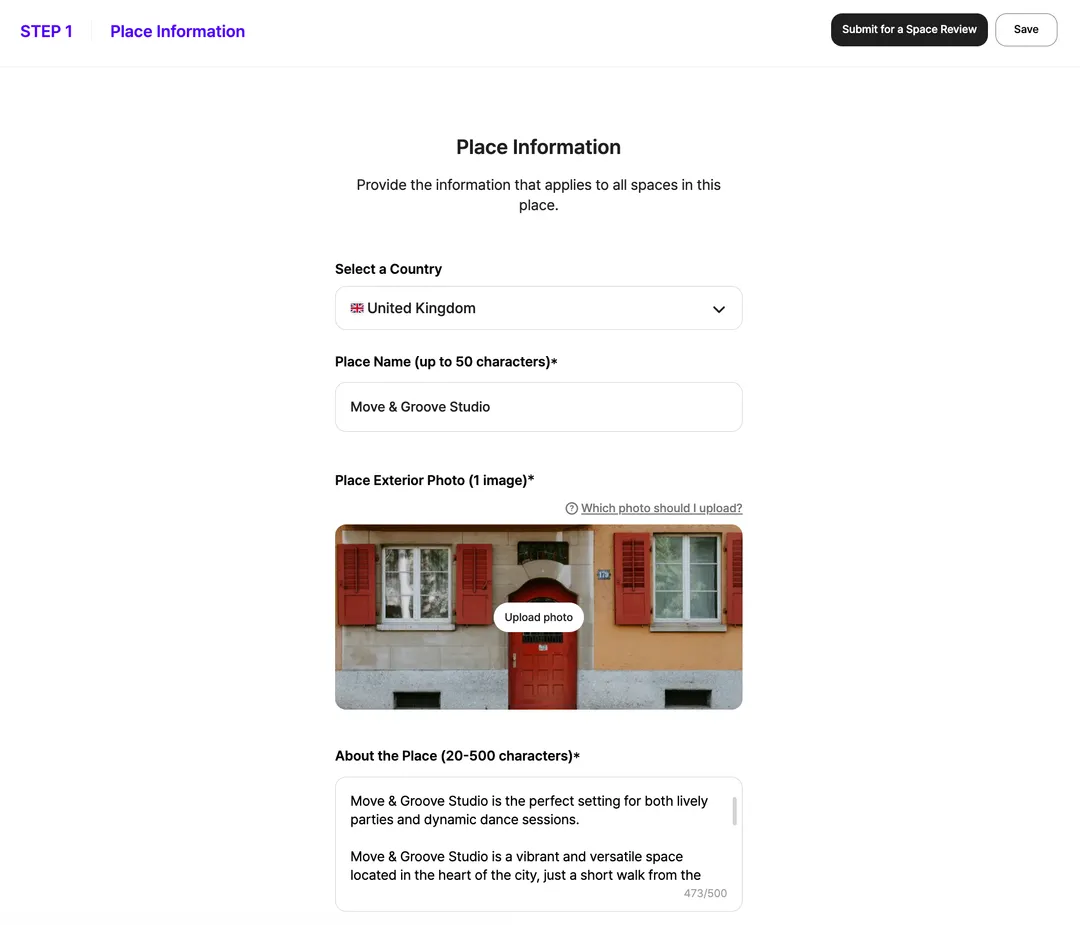
Select a Country
Choose the country where your place is located. This helps guests find your space more easily and ensures the correct address and regional settings are applied. Make sure the selected country matches the physical location of your place.
Place Name
Guests can search for your space by its place name. We recommend using a brand name that is easy to remember, such as "Move & Groove Studio".
Place Exterior Photo
Please upload an exterior photo of the building, focusing on the entrance, to help users find it easily.
About the Place
Briefly describe the place's features, facilities, purpose, and vibe. This will help guests understand the space as a whole.
Example: London Studio is located in the heart of London Fields, just a 2-minute walk from London Fields Station. Designed to foster community and inspire, it's a vibrant space featuring private offices, dedicated desks, co-working desks, meeting rooms, and custom event spaces. All of our facilities are available with flexible terms.
Place Contact Details
Please provide a contact number for the on-site manager of the place. This number will not be visible to guests; it is for the SpaceCloud operations team to use in emergencies.
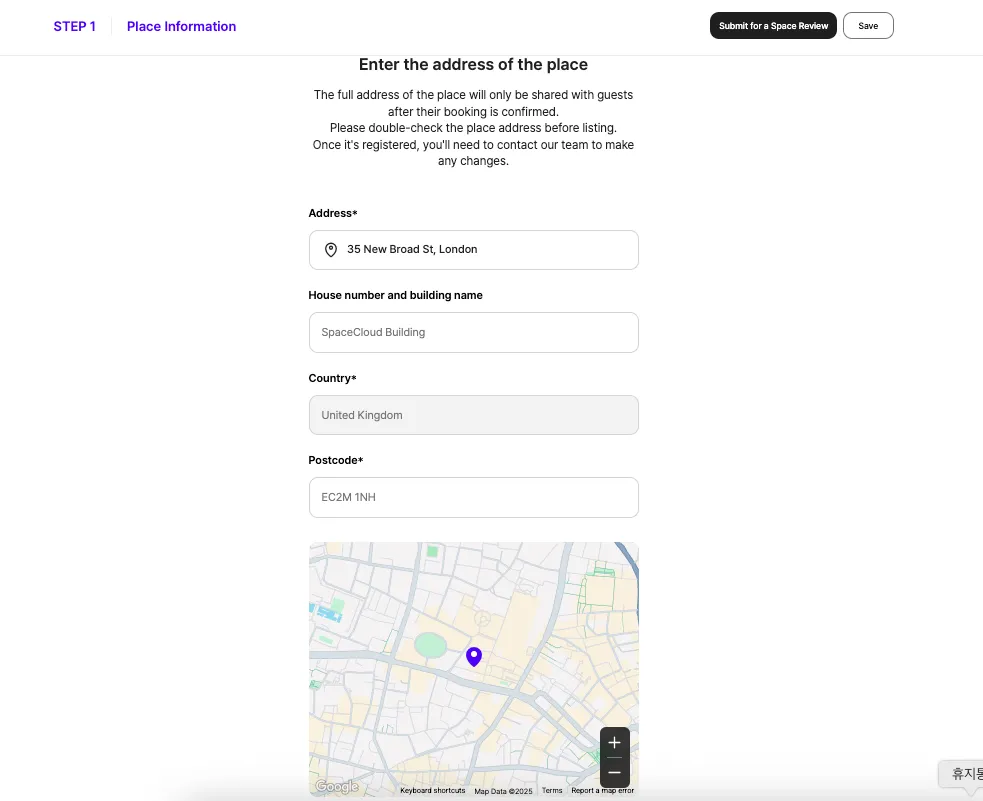
Place Address
Please enter the full and detailed address of the place. This information will only be visible to guests after their booking is confirmed.Once you complete Step 1, you cannot edit the address. Please ensure it is accurate when you first enter it; to make any changes, you must contact the operations team.
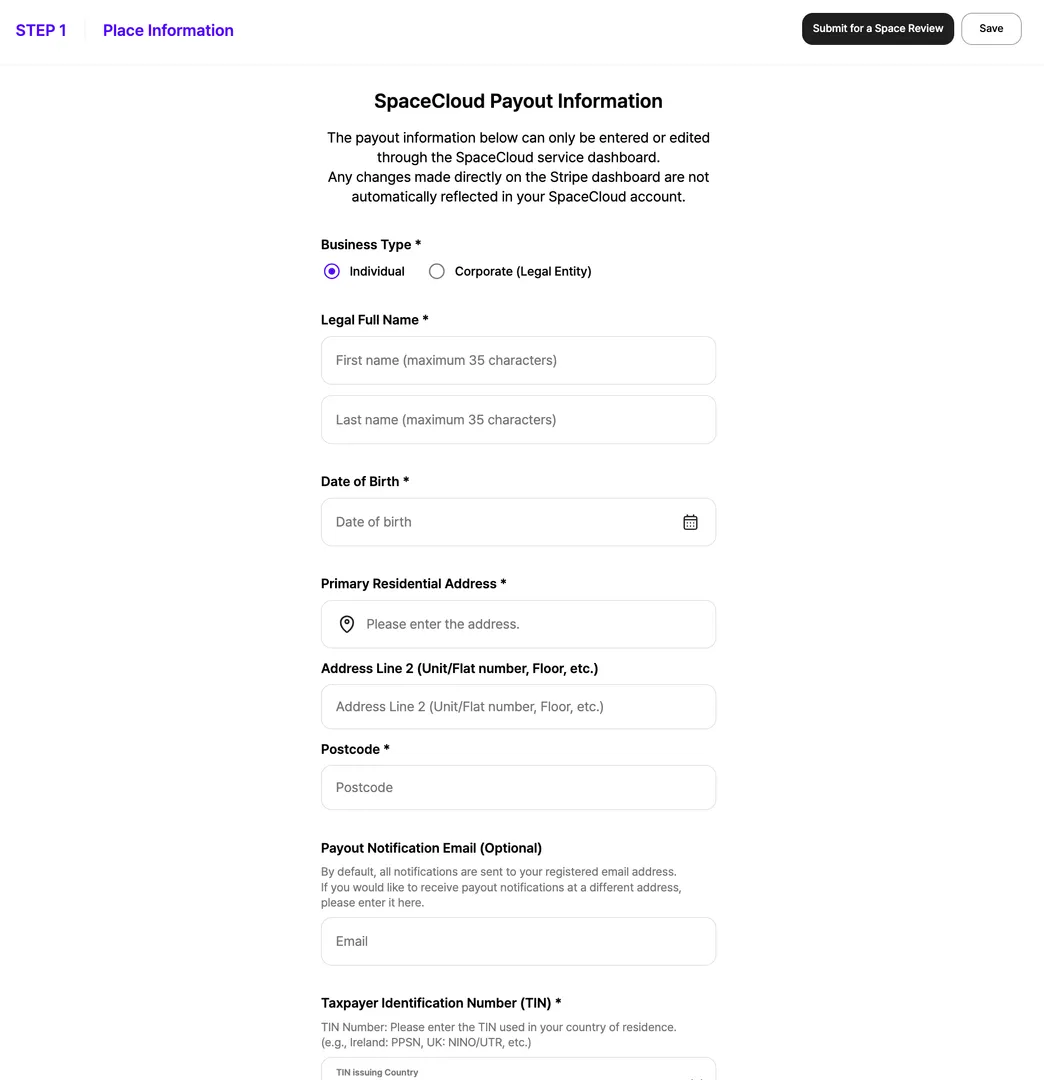
Payout Information
To ensure your payouts are processed smoothly and tax reporting requirements are met, please provide your payout information.
For more details, please see the guide below.
SpaceCloud Payout Information Guide (Link)
2) Host Details
To verify your identity and process payouts, SpaceCloud uses Stripe Connect to authenticate your account.
If you need more time to gather the required information, don't worry. You can save your progress and complete the verification later. Just fill out the other details, save your space as a draft, and verify your account whenever you're ready.
Please note: Your space will not be approved until your Stripe Connect account is verified.
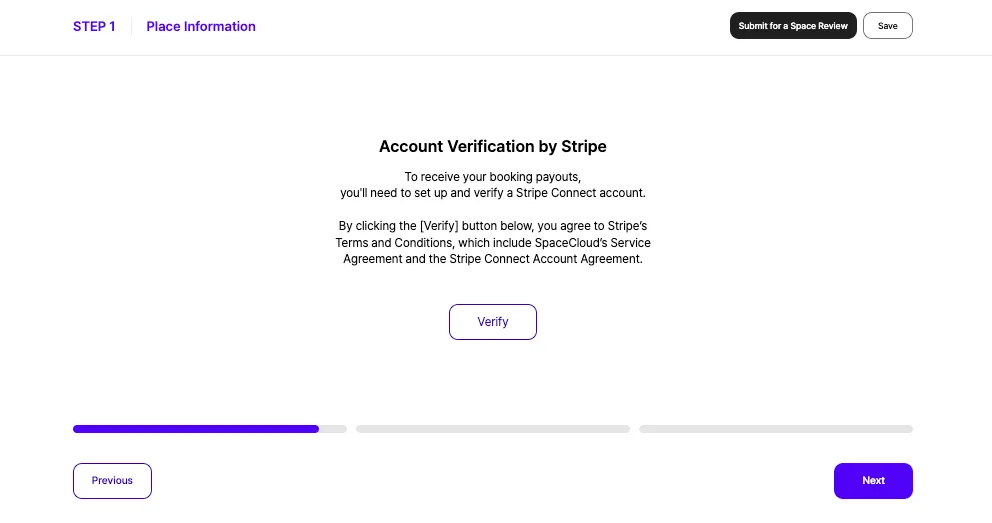
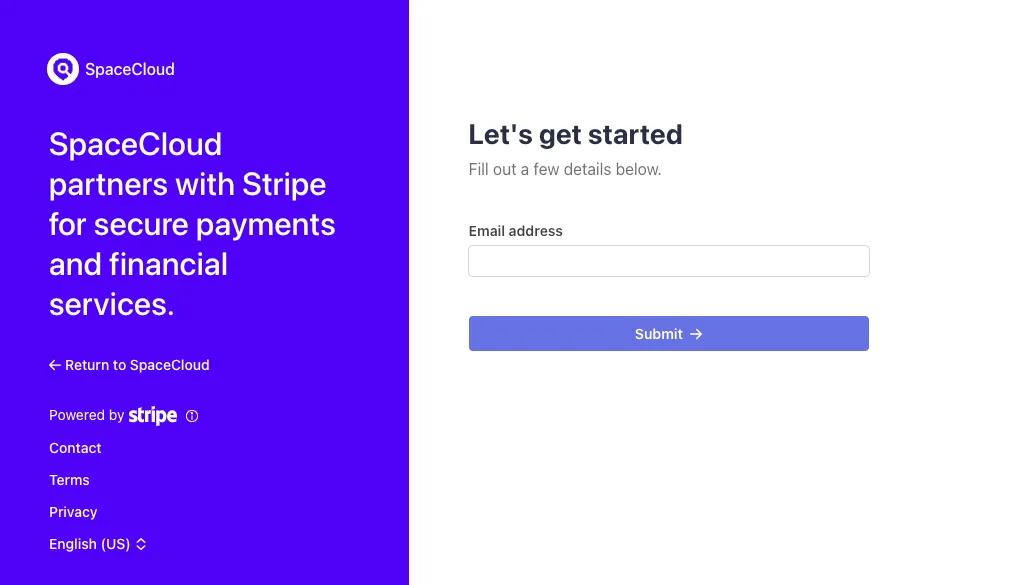
1. Create a Stripe Account
You can create a new Stripe Connect account by clicking the [Verify] button on the account verification screen.
2. Use an Existing Account
If you already have a Stripe Connect account, you can use it on the authentication screen.
3. Submit Your Information
To complete the verification, please choose your business type using the Stripe guide below and fill in all the required information.
Completing Your Stripe Information
https://support.stripe.com/questions/how-to-determine-your-business-type-and-structure
STEP 2. Space Information
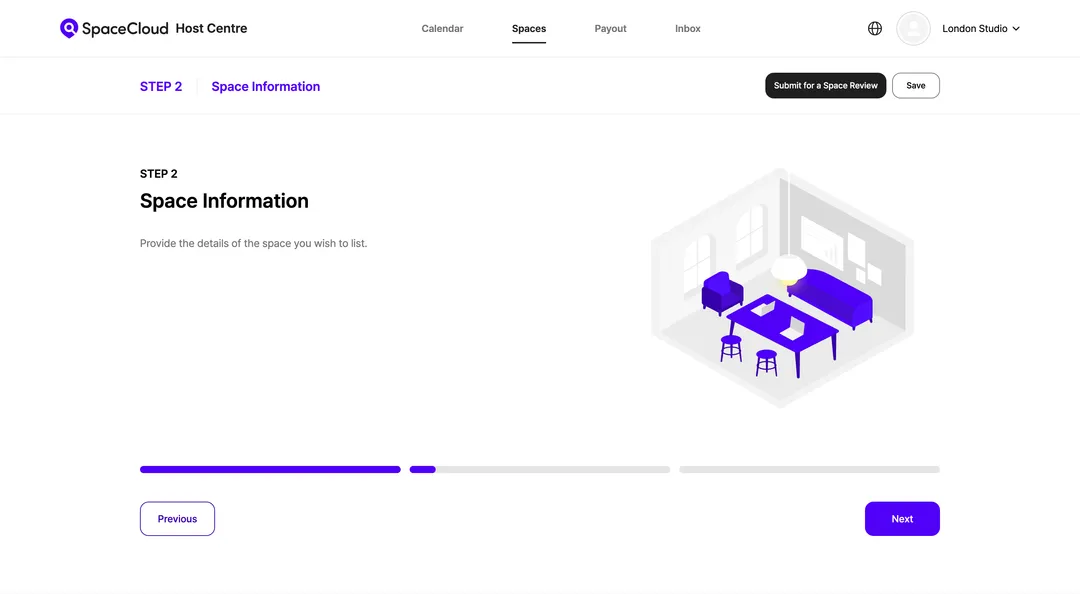
This section is for details about the space guests will be booking.
*You can only list one space at a time.
1) Basic Information
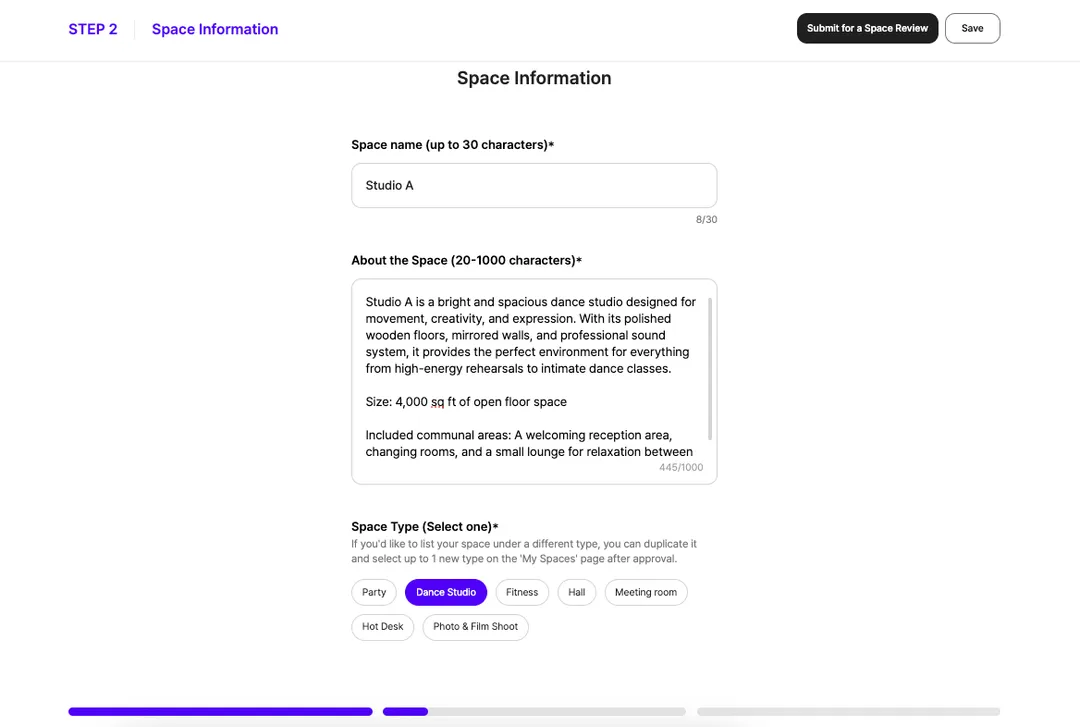
Space Name
If your space has multiple spaces, you should guide guests in distinguishing between them by reflecting their unique characteristics, purpose, or size in the name.
Example: Studio A, 2nd Floor Room
1) Purpose of Use
e.g., meetings, photoshoots, workshops, parties.
2) Key Features / Vibe
e.g., high ceilings, large windows with natural light, quiet environment, modern or cosy style.
3) Amenities
e.g., electrical outlets, kitchen, toilet, Wi-Fi, projector.
4) Space Size and Included Areas
e.g., dimensions, capacity, communal areas such as kitchen or lounge.
Example:
Studio A is a bright and spacious dance studio designed for movement, creativity, and expression. With its polished wooden floors, mirrored walls, and professional sound system, it provides the perfect environment for everything from high-energy rehearsals to intimate dance classes.
Size: 4,000 sq ft of open floor space
Included communal areas: A welcoming reception area, changing rooms, and a small lounge for relaxation between sessions.

Space Type
At SpaceCloud, spaces can be listed under one of six categories. Explore the Space Type Review Guide below to discover the unique features of each category and find the best fit for you!
Space Type Guidelines (link)
If you want to list your space under another type, you can do so after your initial listing has been approved. Simply go to the Space Management page and select [Add Space Type].
How to Add a Space Type (link)
Space Photos
The cover photo is the main image guests see when they browse listings. Choose a photo that best showcases your space. Please upload at least five photos showcasing your space and its amenities to give guests a clearer understanding.
2) Amenities and Facilities
Space Amenities and Facilities (Optional)
Please select all the amenities provided in your space.
e.g., Wi-Fi, air conditioning, projector, screen, chairs, etc.
3) Safety and Security
Space Safety and Security Features
For guest safety, please provide all relevant safety and security information.
CCTV
If CCTV is installed, you must inform guests.
Safety Equipment (Optional)
Check and list any safety equipments available in the space.
e.g., Smoke alarm, carbon monoxide detector, first-aid kit, fire extinguisher, etc.
Risk Assessment (Optional)
A Risk Assessment is a document that identifies potential hazards in your space and explains how you manage them. If you have a Risk Assessment file, please upload it as an attachment.
Guide to Creating a Risk Assessment (link)
4) Services and Extras
Add-ons (Optional)
You can register additional services that guests can use.
e.g., Photography services, catering services, etc.
Guide to Add-on Services (link)
Mandatory Fees (Optional)
Mandatory fees are for services that are a required part of using your space. When you set them up, they will be included in the total payment amount shown to the guest.
e.g., Cleaning fee
If you add a description for the mandatory fee, guests can click the ‘?’ icon on the booking screen to see what the fee is for.
5) Rules and Policies
Space Rules
Please provide the rules for using your space to ensure guests are aware of the key guidelines, helping ensure a smooth experience for all.
* No smoking, pet policies, whether parties are allowed, etc.
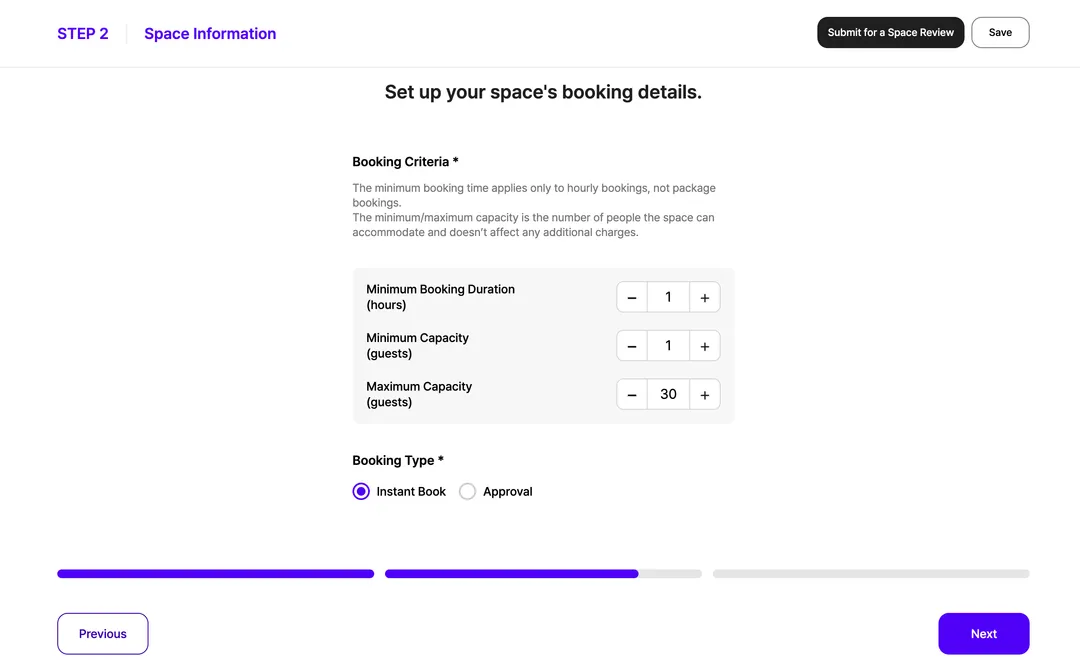
Booking Criteria
Minimum Booking Duration: This is the minimum amount of time a guest must book.
e.g., If the minimum booking duration is 2 hours, guests must select 2 or more hours to proceed with their booking.
Minimum Capacity: This is the minimum number of guests allowed for a booking. Guests must select this number or more to proceed.
Maximum Capacity: This is the maximum number of people your space can accommodate. Guests must select this number or fewer.
Booking Type
Instant Booking: The booking is confirmed immediately after payment without requiring host approval.
Approval Booking: The booking is confirmed only after the host approves the guest's request and the guest completes the payment.
Cancellation and Refund Policy
Please provide your refund policy for your space. For situations like last-minute cancellations or no-shows, any refund will be determined by your policy, so make sure your rules are clearly stated.
Please note: The SpaceCloud policy on free cancellations immediately after payment and guest service fee refunds will always take precedence over host's policy.
For more details, please review the Host Refund Policy Guide below.
SpaceCloud Refund Policy Guide (link)
STEP 3. Booking Information
To ensure a smooth booking process and enjoyable space use for your guests, please provide clear and accurate booking details.
1) Space Operating Hours
Provide your space's operating hours so guests can easily check availability.
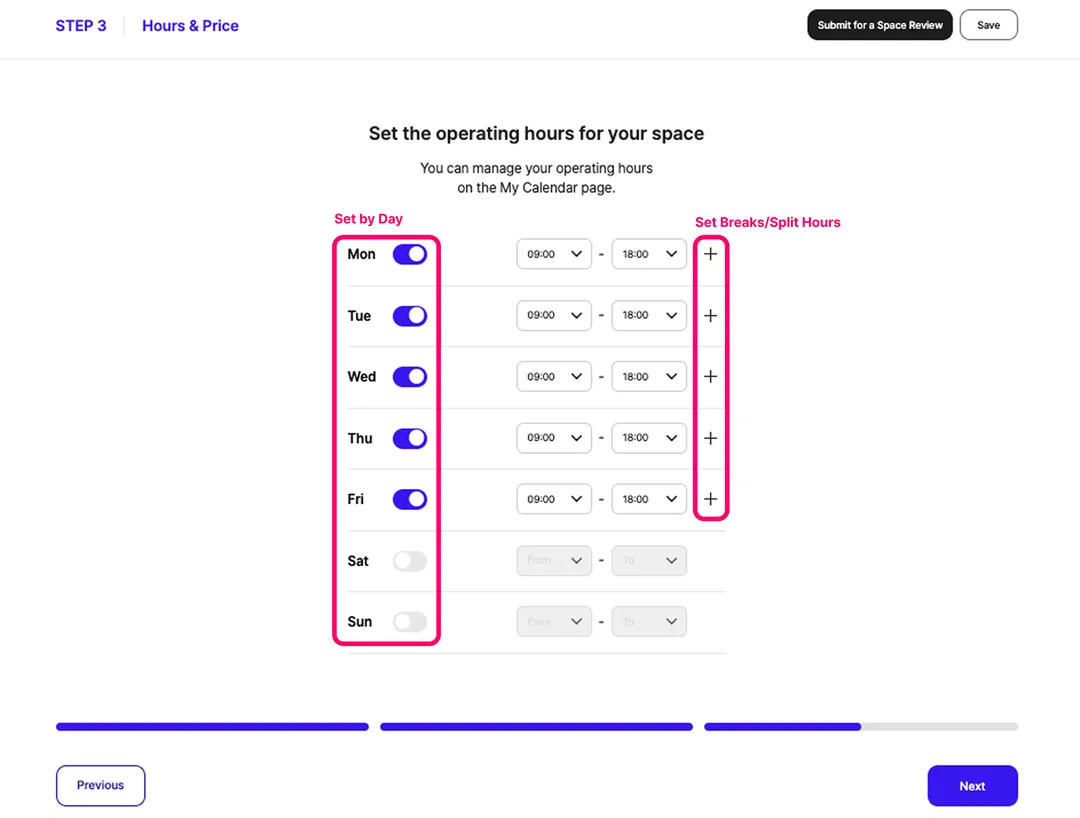
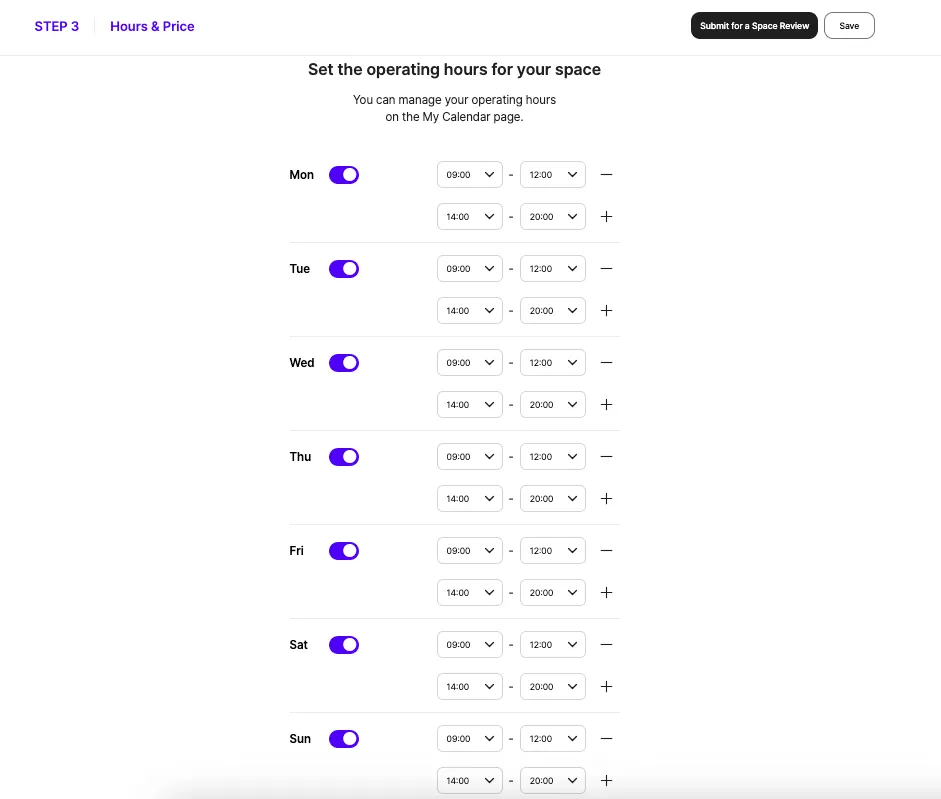
Set by Day: Activate the toggle for each operating day and set the start and end times.
Set Breaks/Split Hours: If you need a break, click the + button on a specific day to create multiple time segments.
Example 1:
Monday - Friday: 9am - 6pm
Saturday - Sunday: Closed
Example 2:
Monday - Sunday: 9am - 12pm & 2pm - 8pm
2) Space Hire Fee
You can set your hire fee by the hour or by package rate.
Hourly Rate
Guests can book in 30-minute blocks.
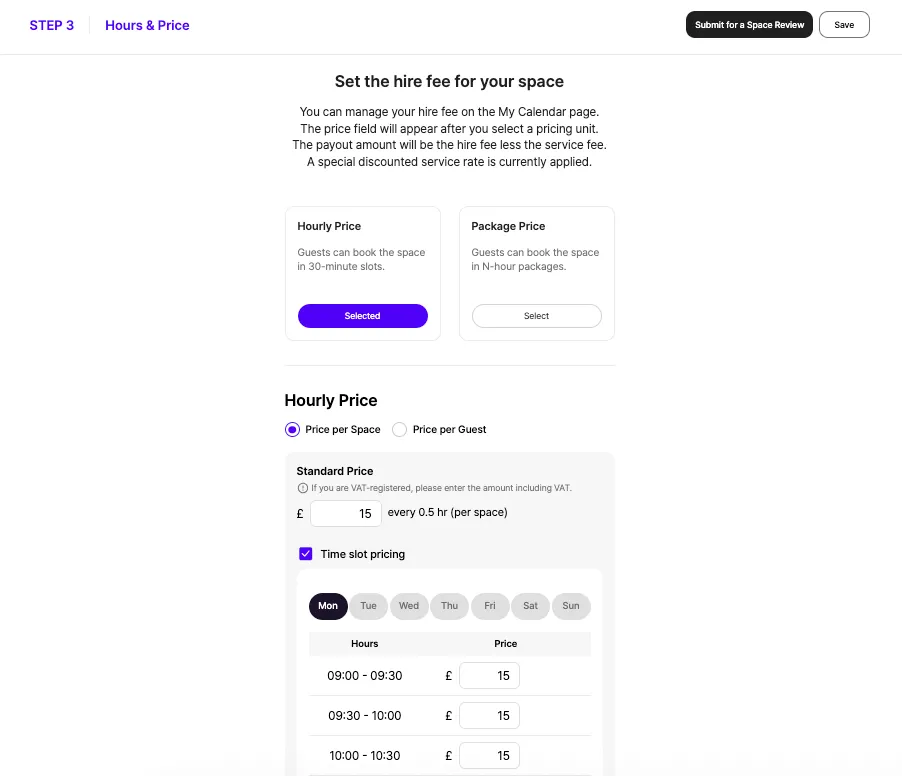
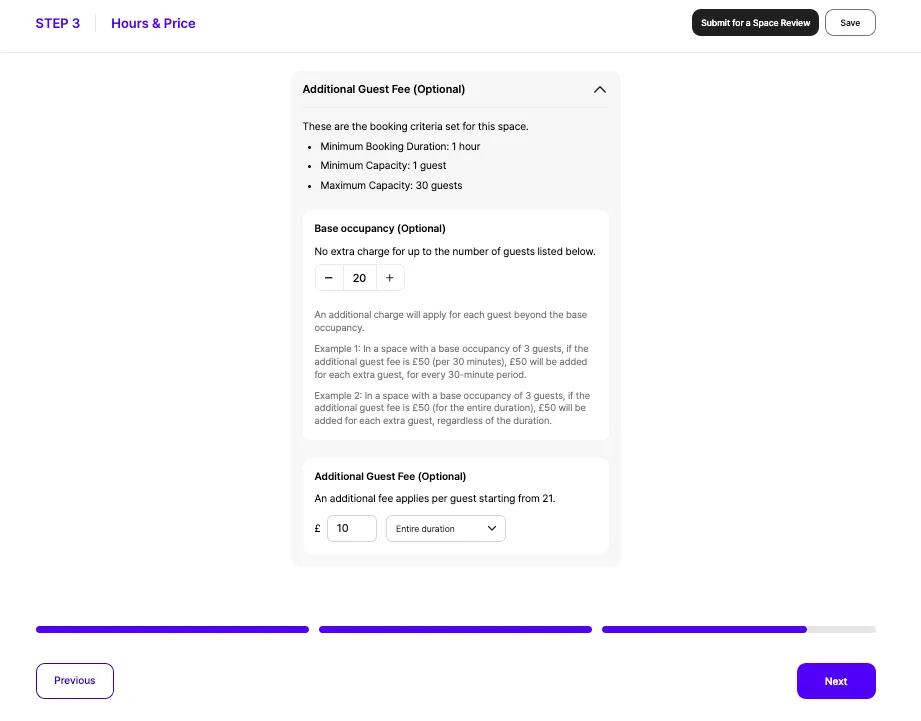
Standard Price: Set a [Standard Price] for every 30 minutes. This will be the main price displayed in search results.
Time slot pricing: If your prices vary, check the [Time slot pricing] box to enter custom rates for specific days and times.
Additional Guest Fee: You can set an additional fee per guest for every 30 minutes or for the entire booking.
Package Rate
Guests can book in N-hour packages. Package hours can be set separately from your operating hours, up to a 12-hour maximum. For example, even with operating hours from 9:00 - 18:00, you can offer a package from 9:00 - 24:00.
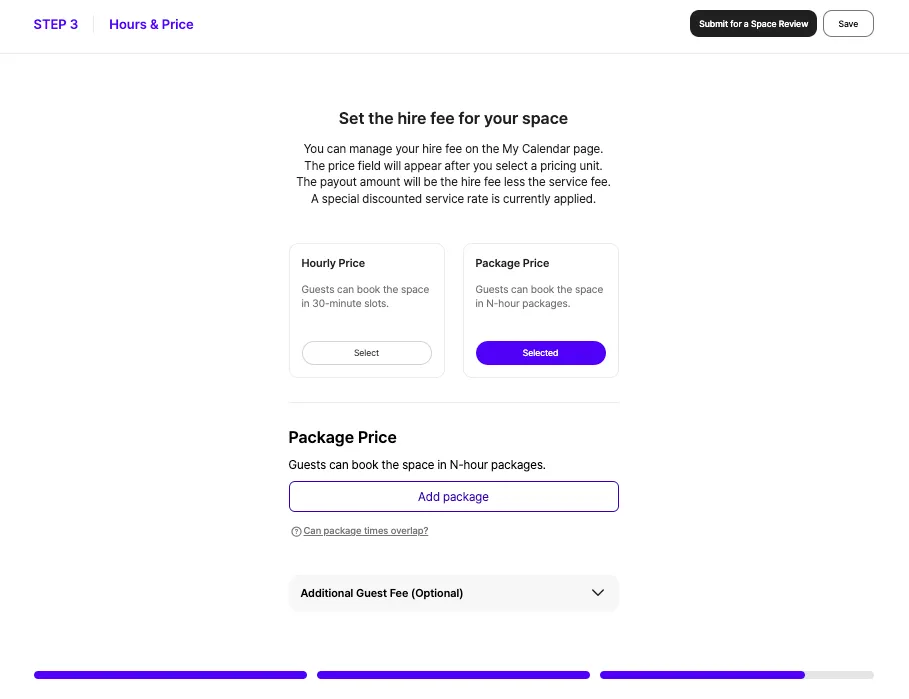
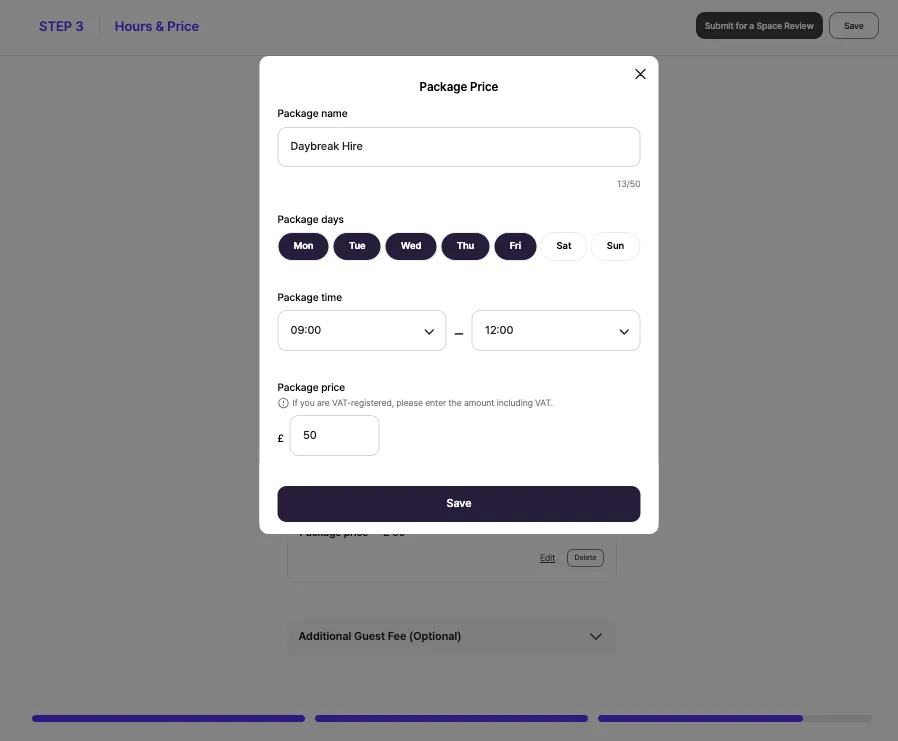
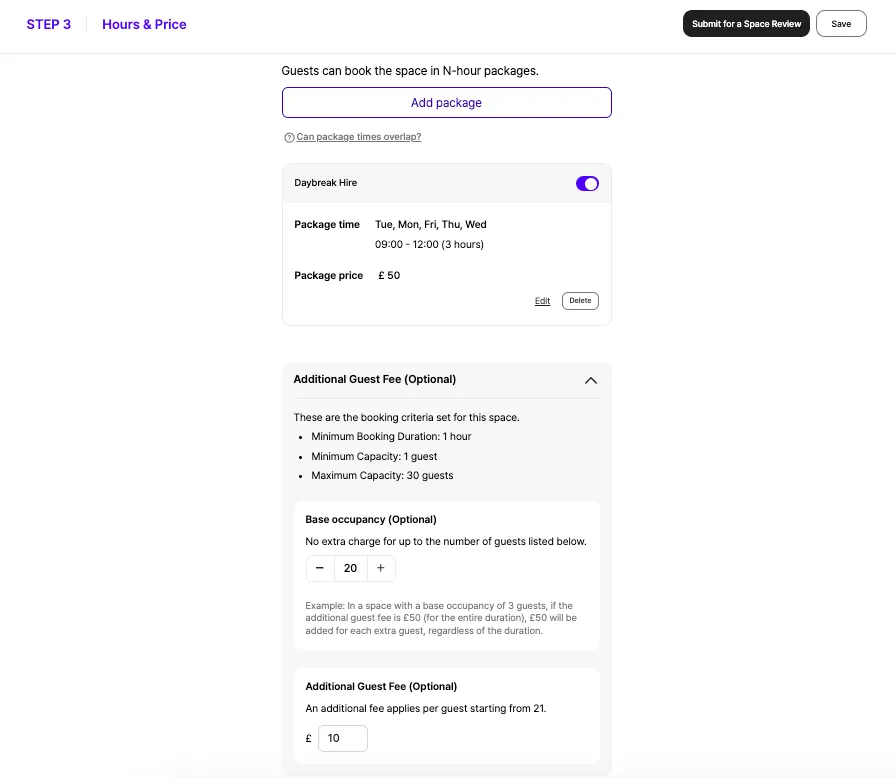
Overnight Packages: To create a package that extends into the next day, your space must operate 24/7, and the following day cannot be a rest day.
Additional Guest Fee: You can set an additional fee per guest for the entire package duration.
With all steps completed, you're now ready to submit your review request.
How to Request a Space Review
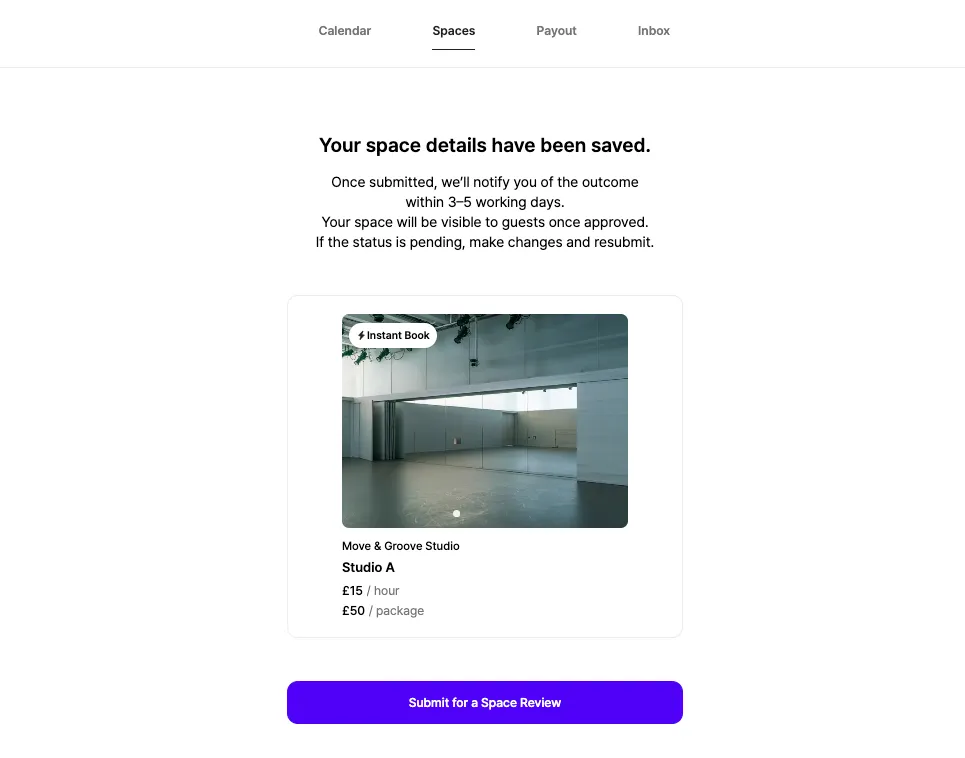
After entering all the required information, please click the [Submit for a Space Review] button. Our review team will review your application within 5 business days, and you'll receive the results via email.
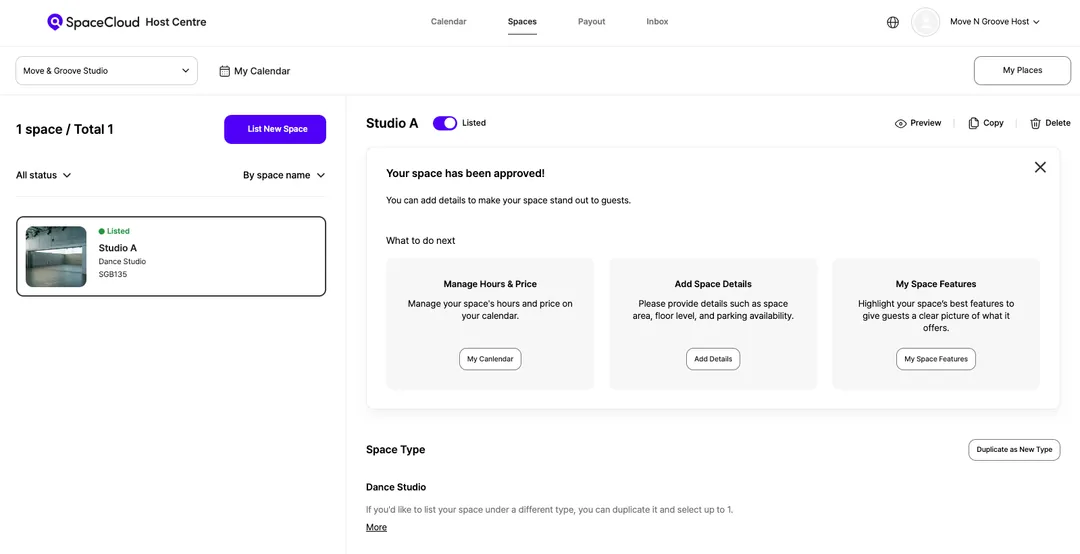
✅ If Approved:
Your space will go live and be ready for guests to book.
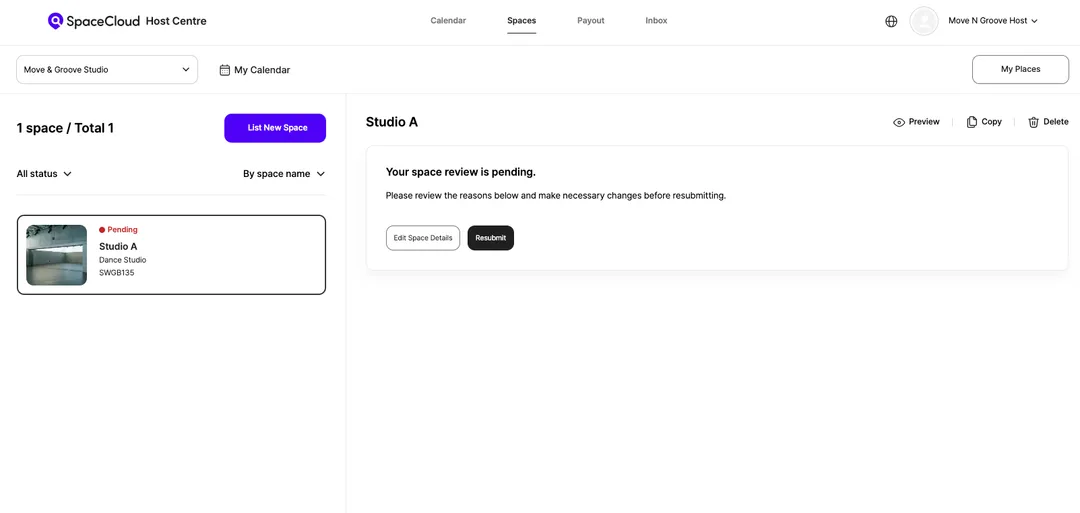
❗ If Pending:
We'll email you with any details that need adjustment. Please reply with the revised information so we can get your space listed.
We’re here to help your unique space reach a wider audience!
Introduce your space to more people and expand your reach with SpaceCloud!